This catalogue explains what each Artfull AI capability does, which tier it belongs to and how far its validation has progressed. Build 13 has passed iPhone and iPad simulator checks and a signed iPhoneOS build, but Artfull AI is not available on the App Store.
Validation pendingIn progressPlannedStatus labels appear only where implementation or testing work remains.
Available in the development build
Current capabilities
Current capabilities use genuine development captures where a relevant screen is available. A screenshot may illustrate more than one closely related capability. An unlabeled feature works with no known reported issue; a status label appears only where implementation or testing work remains.
Setup — Connections & Features
Basic + Advanced
Direct Ollama
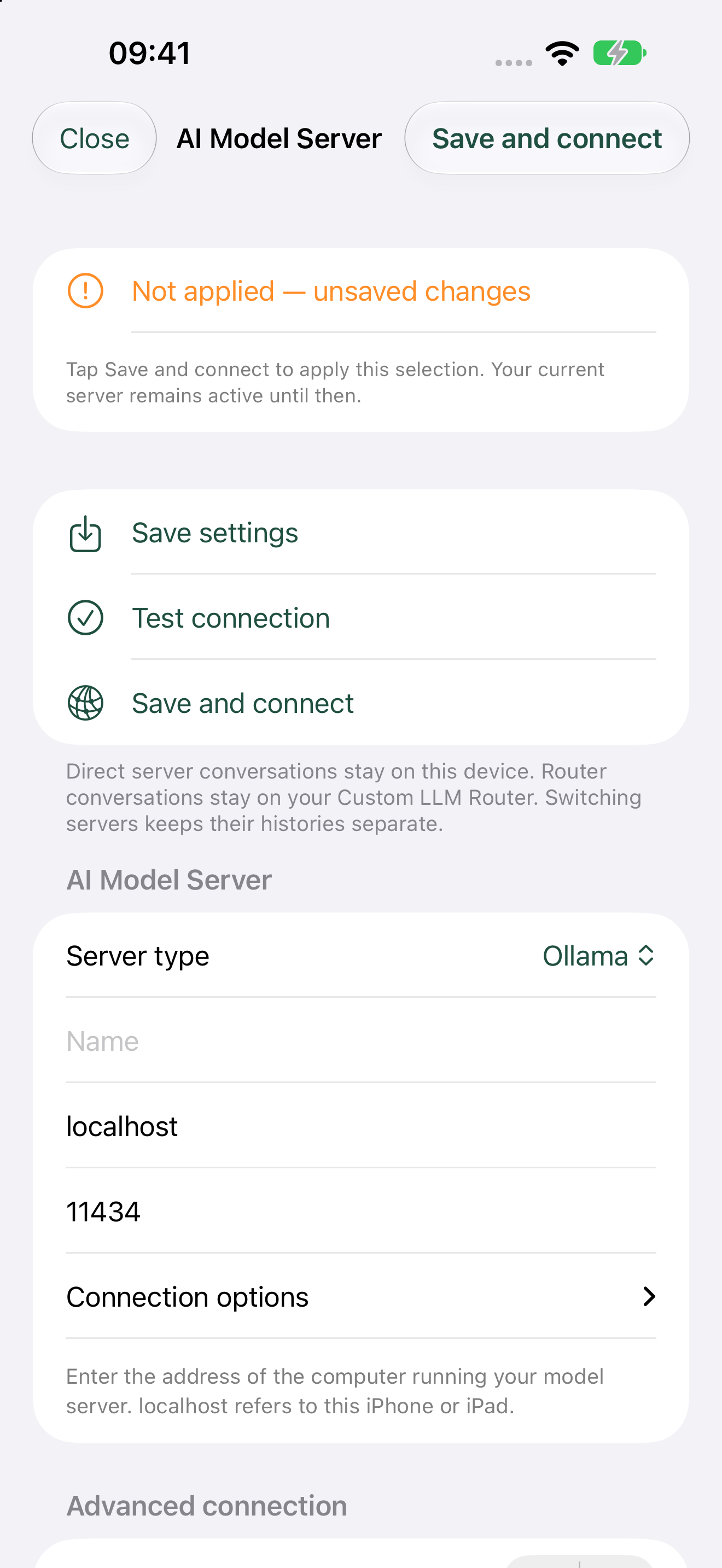
Connect directly to an Ollama server, discover its models and keep model selection scoped to that connection. The app never silently reroutes an offline choice to a cloud provider.
The dedicated Ollama configuration page shows the connection details and controls.
Broader validation pendingBasic + Advanced
Direct LM Studio
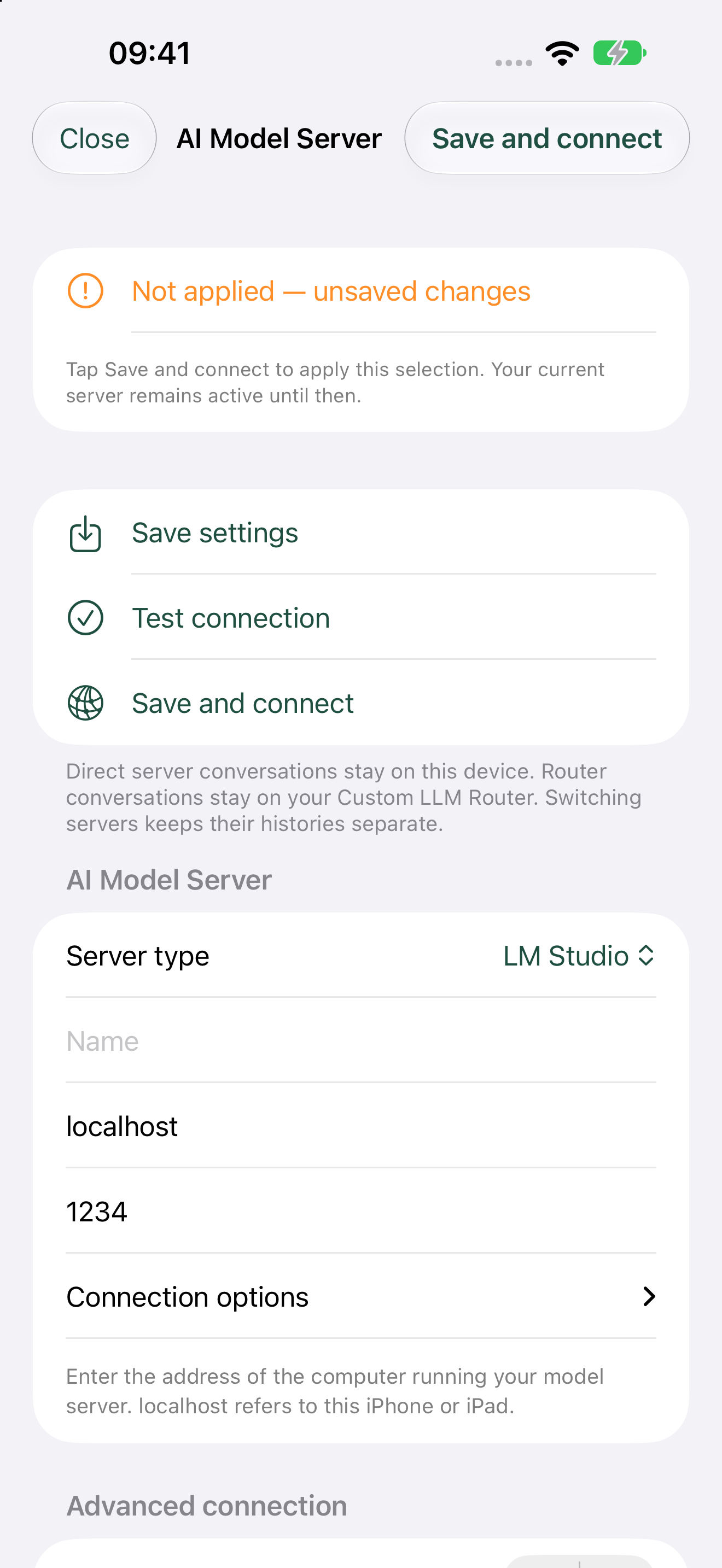
Use LM Studio through its OpenAI-compatible local API with the same direct-server boundaries as Ollama. Controlled API tests pass, and direct connectivity was confirmed on a physical iPhone in 0.0.1 build 7. Broader release validation remains open.
The dedicated LM Studio configuration page. Direct connectivity was physically confirmed on an iPhone.
Advanced
Apple Intelligence
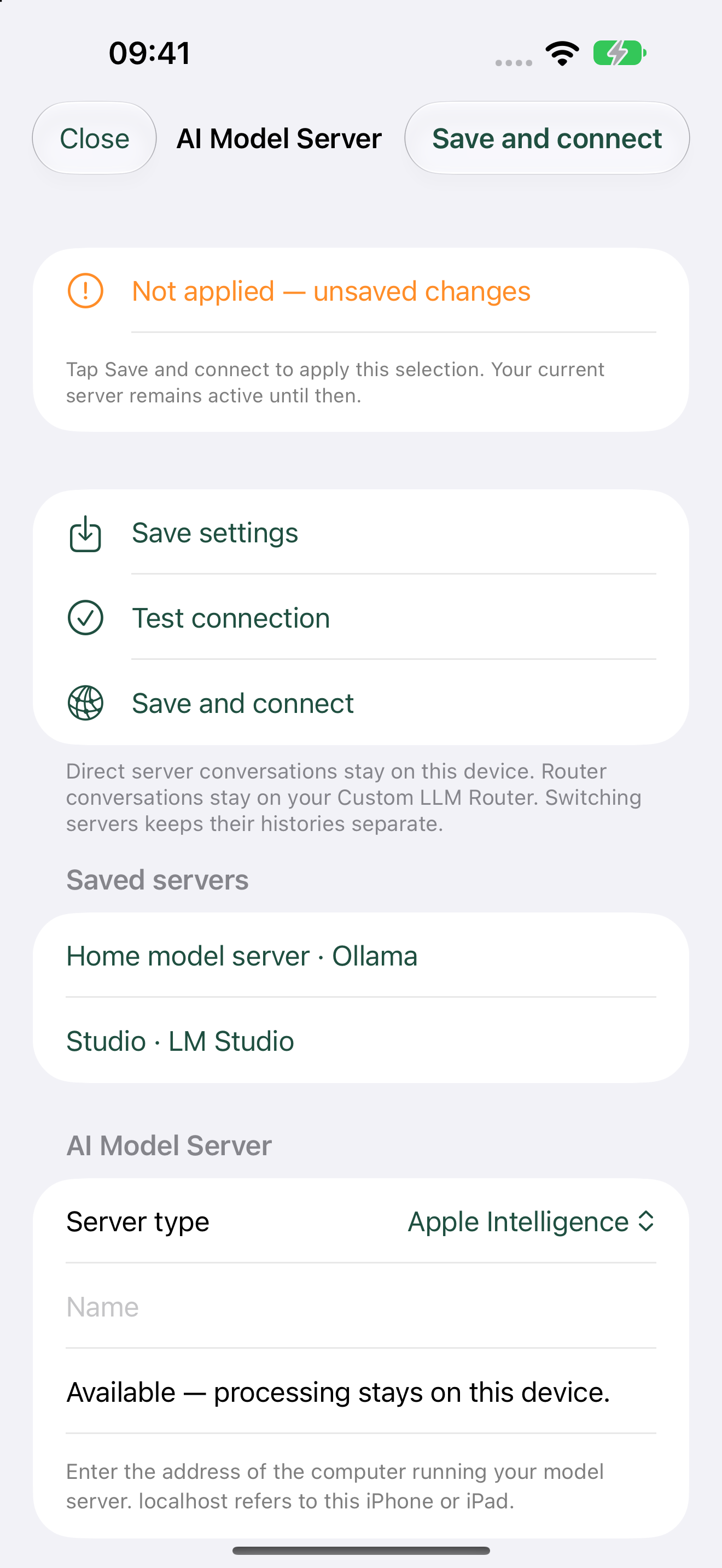
Choose Apple’s on-device intelligence when the device and operating system make it available. Apple Intelligence chat has been physically confirmed on an iPhone 18 Pro Max. This route is local-only and does not silently fall back to a network model. Wider device and capability compatibility still depends on Apple’s hardware and operating-system support and has not all been tested.
The Apple Intelligence chat route physically confirmed on one iPhone 18 Pro Max; wider compatibility caveats still apply.
Prompt interaction testing pendingAdvanced
On-device MLX models
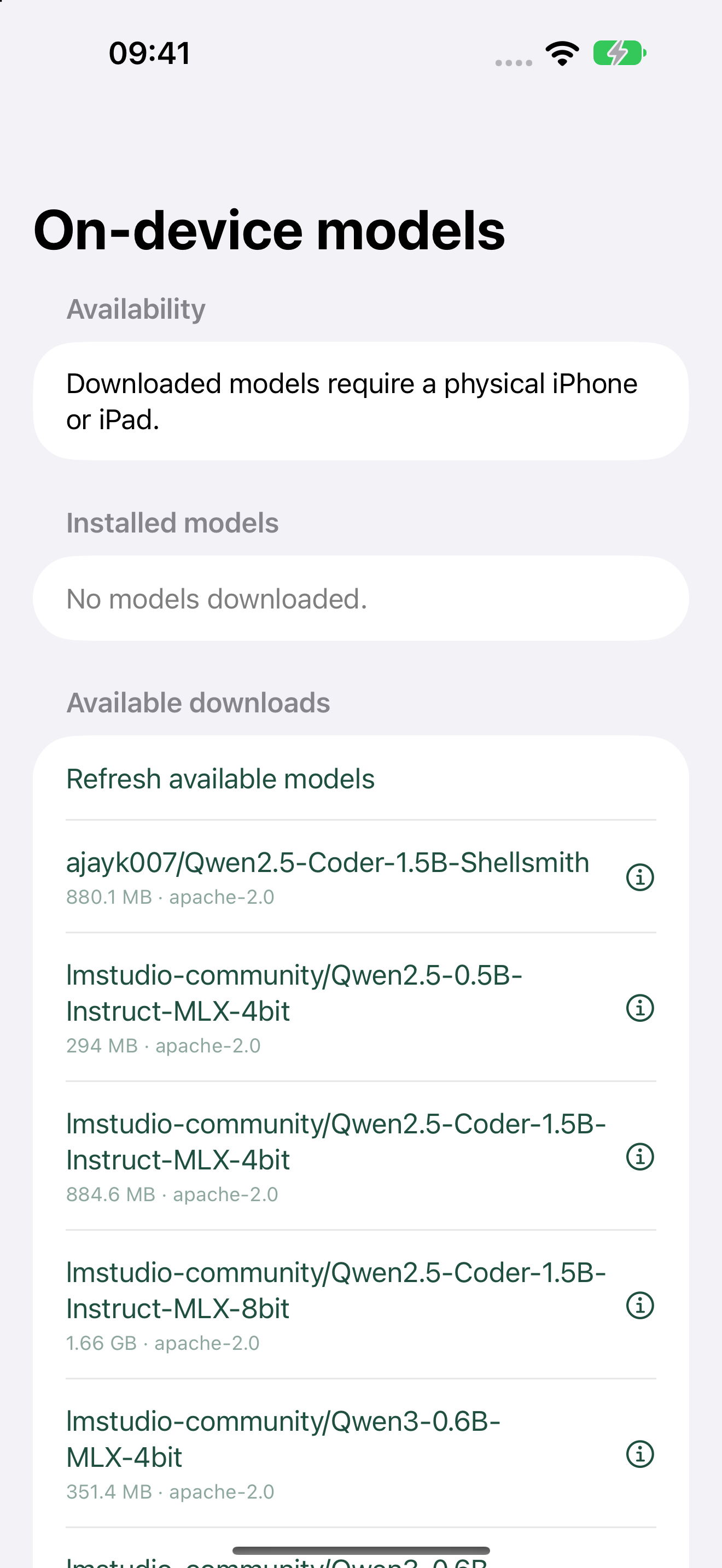
Browse a filtered MLX model catalogue, remove files and run compatible installed models offline. Model rows now offer Download, More Information and Cancel. Model download and local chat inference have been physically confirmed on an iPhone 18 Pro Max, but manual interaction with the new row prompts has not yet been confirmed. Downloads require an explicit internet action. Broader compatibility still depends on iOS or iPadOS 17 or later, available RAM and storage, model size and quantisation, and thermal conditions; not every model or supported device has been tested.
The filtered catalogue used for the physical download and inference test; the new row prompts still need manual interaction confirmation.
Provider validation pendingAdvanced
Ollama Cloud
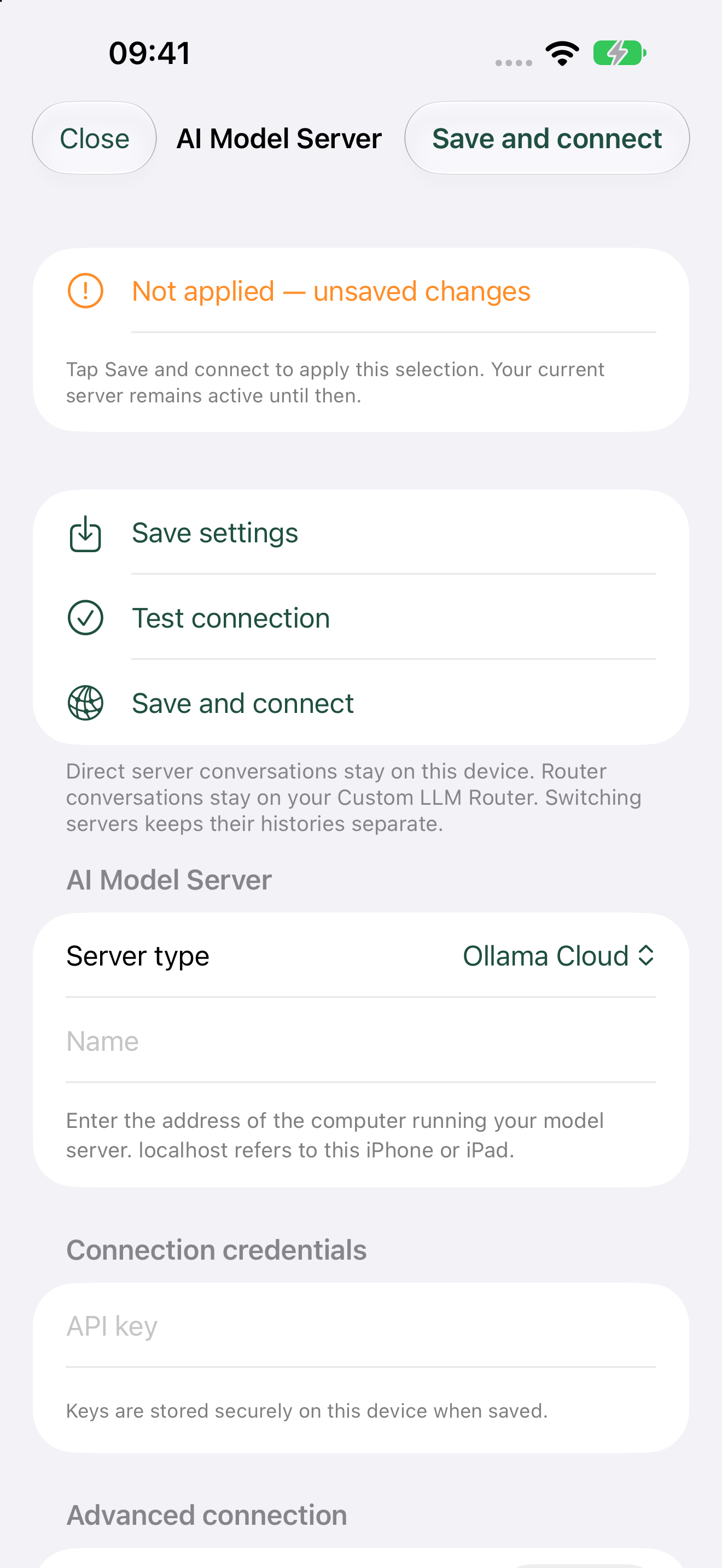
Connect to Ollama Cloud through a fixed HTTPS origin and a connection-scoped Keychain credential. Provider access and charges remain separate from the app purchase.
The provider-specific Ollama Cloud configuration and secure credential area; live validation remains pending.
Provider validation pendingAdvanced
OpenRouter
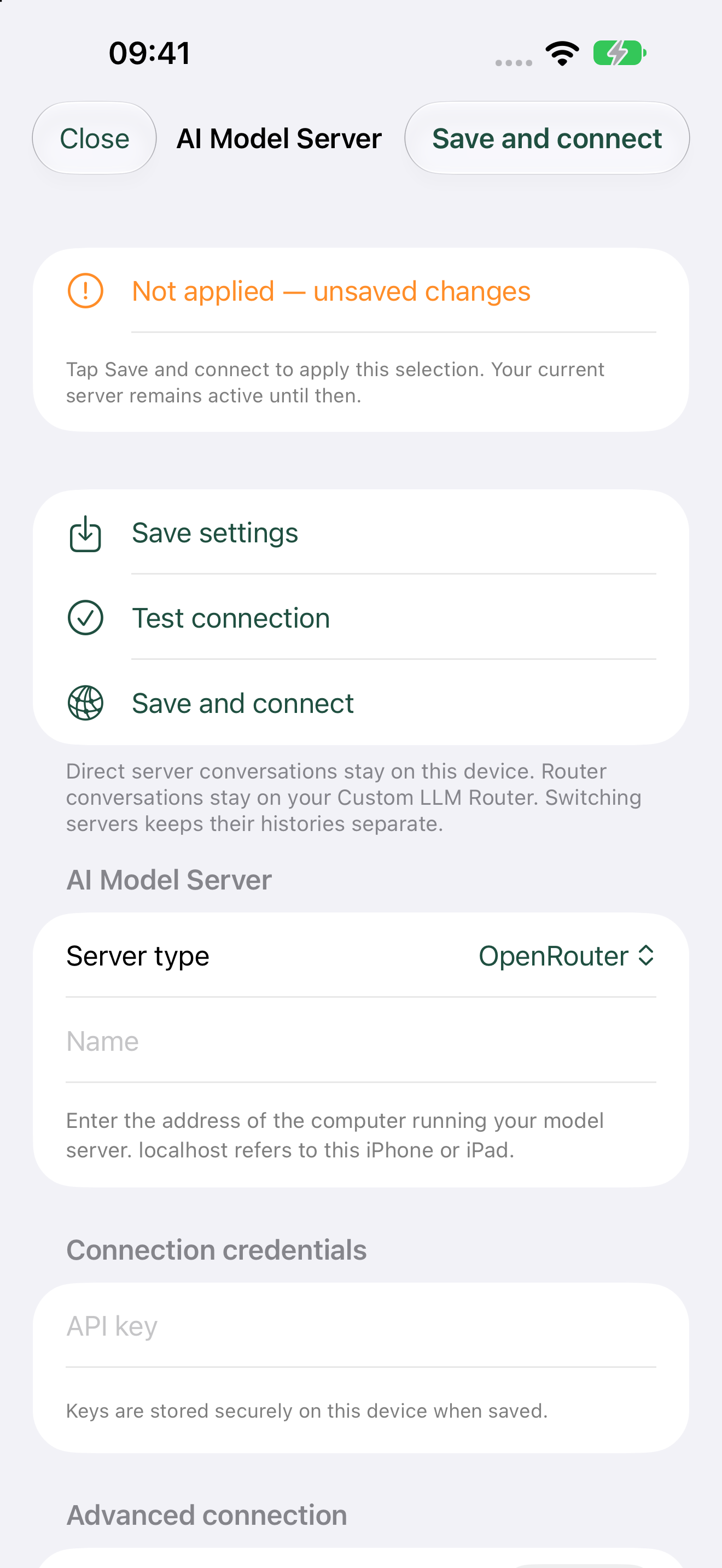
Use a scoped developer API key, discover available models dynamically and retain usage metadata when the provider supplies it.
The provider-specific OpenRouter configuration and secure API-key area.
In progressAdvanced
OpenClaw
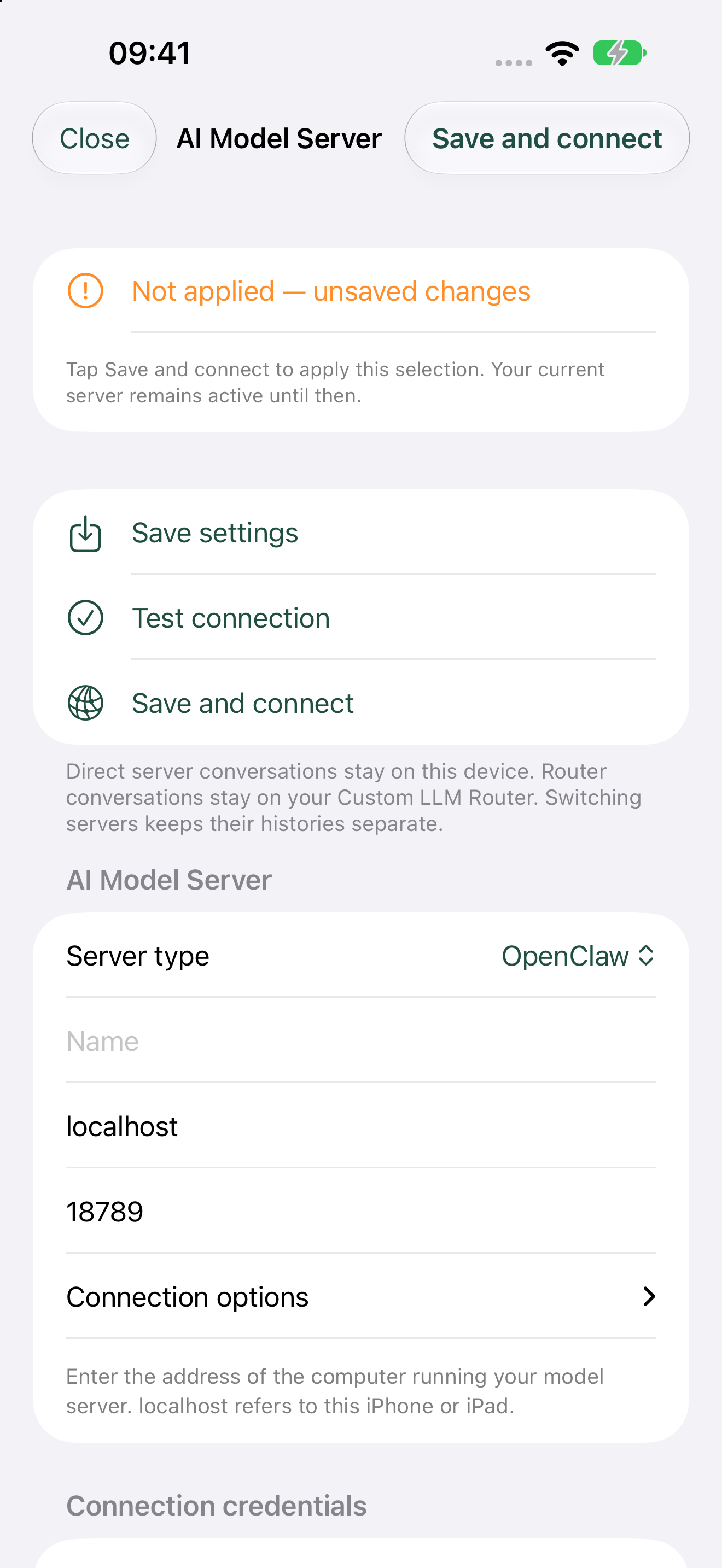
Configure a compatible gateway and token, detect supported endpoints and show a clear failure when its gateway API or model catalogue is unavailable.
The in-progress OpenClaw gateway configuration, including address, port and connection options.
Advanced
Custom LLM Router
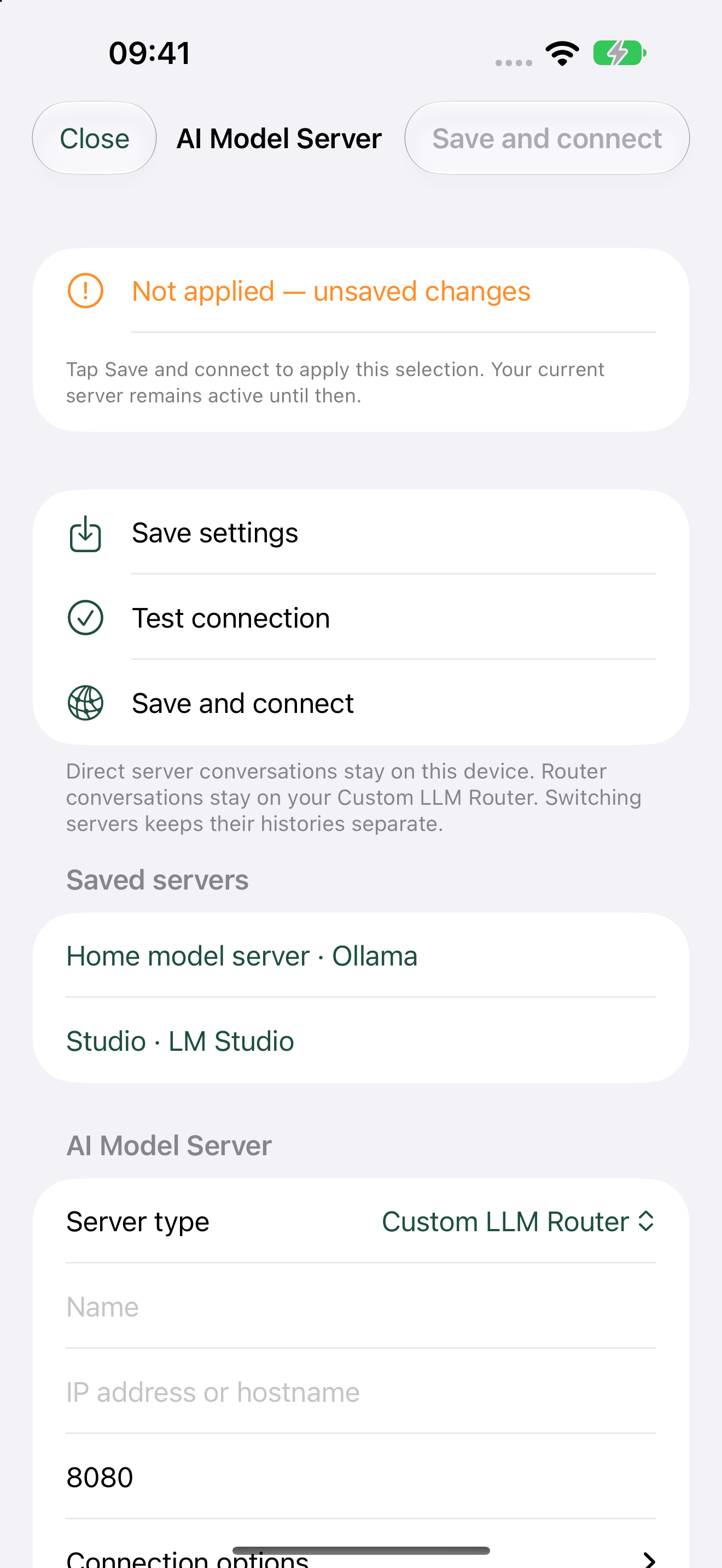
Sign in to a separately maintained Router, use its server-supplied instances and models and access Router-managed history across devices without mixing it into direct-server history.
The separate Custom LLM Router configuration and authentication surface.
Advanced
Per-Server Tuning
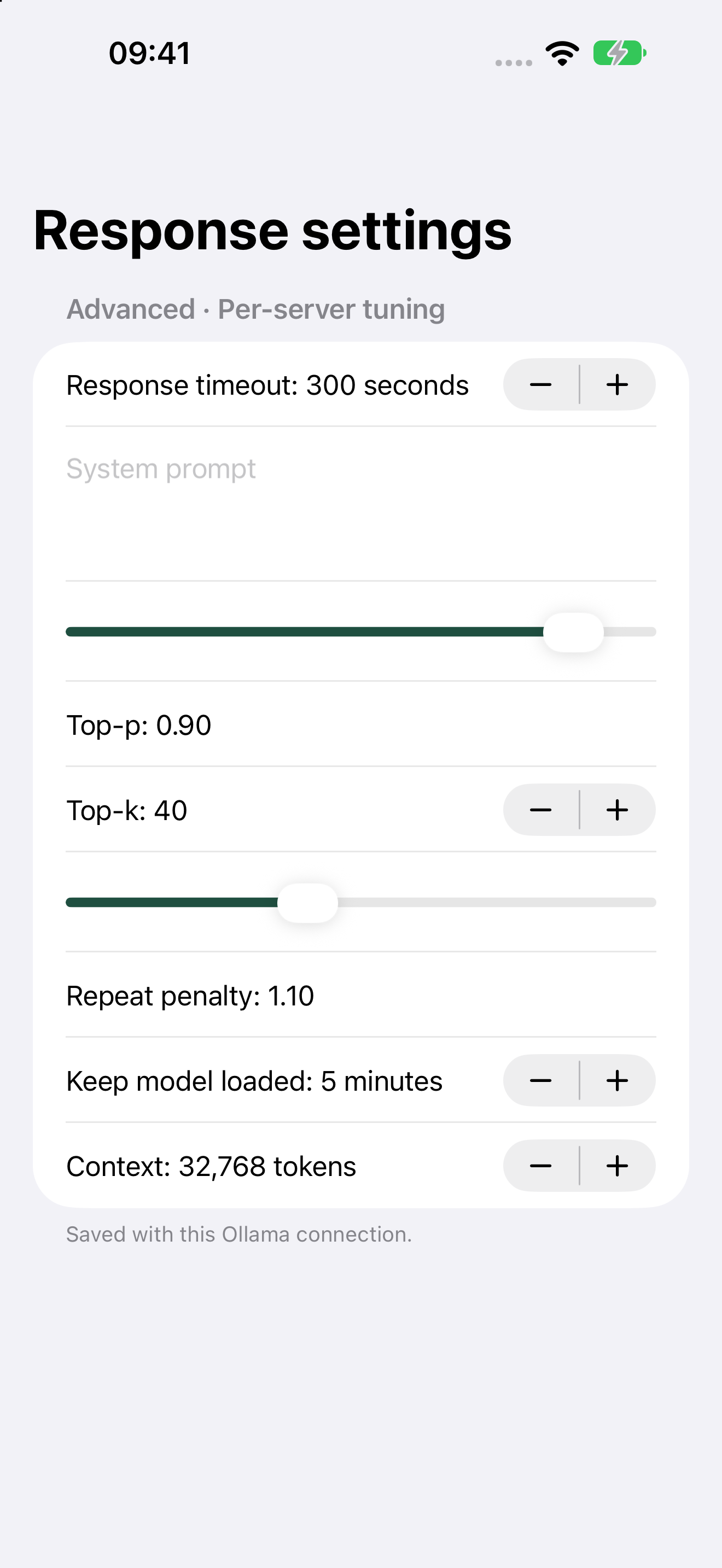
Configure temperature, context and response length, top-p/top-k, repeat penalty, system prompt, timeout and keep-alive for the relevant server profile. Basic uses the standard response settings.
Advanced response controls in the build 5 development screenshot host.
Advanced
AI Model Server lifecycle management
Manage models without leaving Artfull AI. Ollama provides installed and running inventory, cancellable downloads, loading, unloading and deletion. LM Studio 0.4.0 or later provides its native v1 inventory, cancellable downloads, loading and unloading; models must be deleted in LM Studio because its API does not expose deletion.
These lifecycle controls passed the iPhone and iPad simulator harnesses and the full build. The signed build 12 app was also installed and launched on a physical iPhone; that installation is not a claim that every lifecycle action was manually exercised on the physical device.
Physical transfer testing pendingAdvanced
Encrypted nearby model sharing
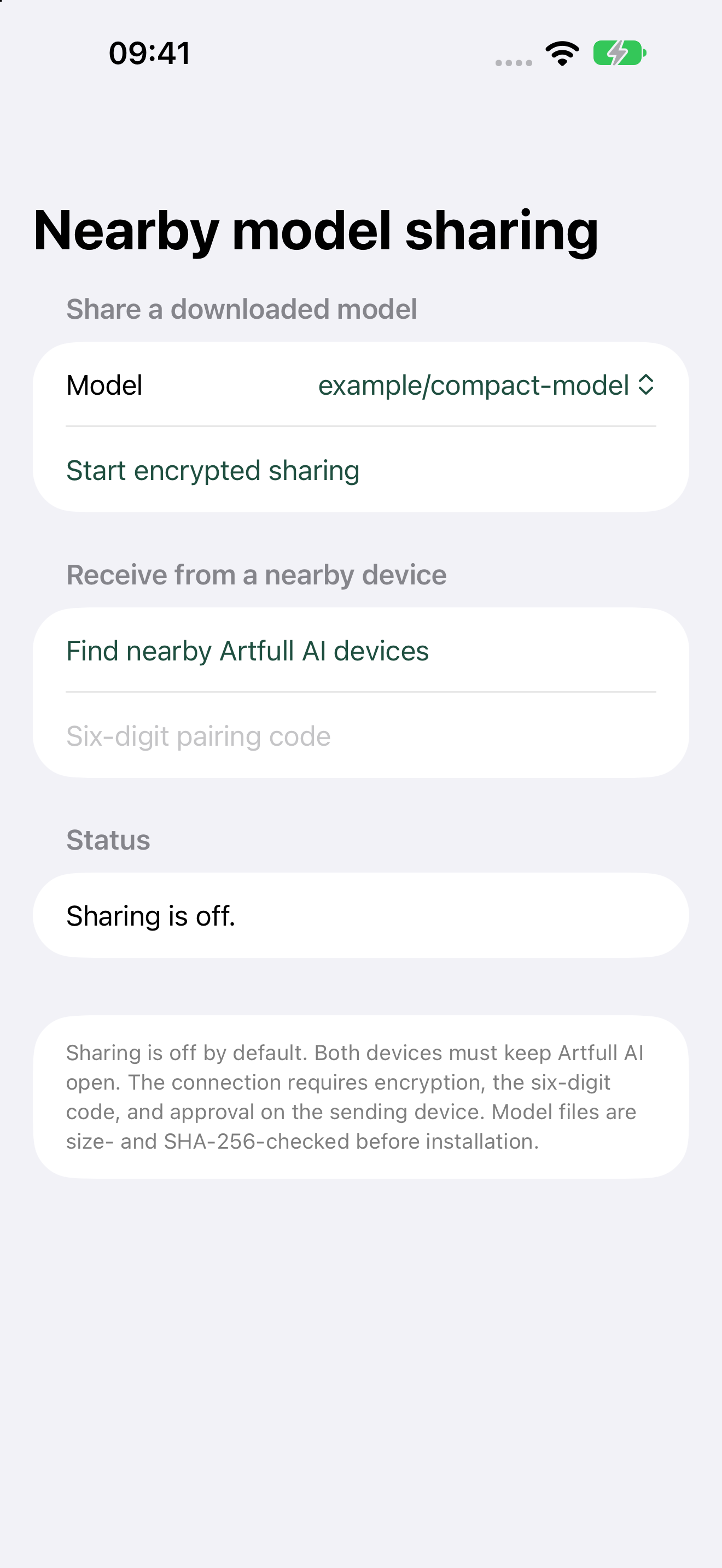
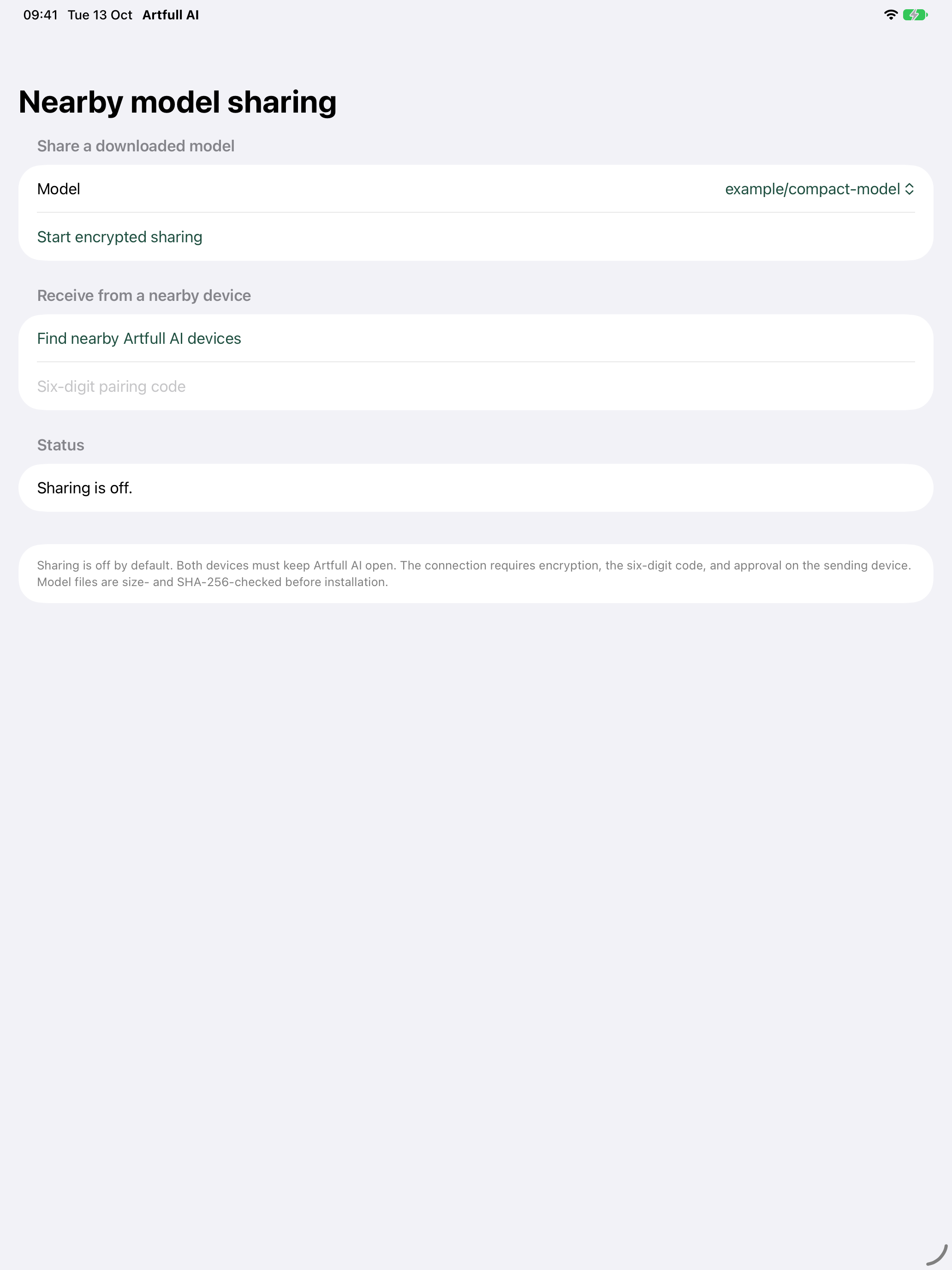
Share a downloaded On-device MLX model with a nearby Artfull AI device. The connection is encrypted and requires a six-digit pairing code plus approval on the sending device. Bounded manifests and SHA-256 validation protect the receiving installation.
iPhone and iPad simulator checks, the full simulator build, signed iPhoneOS build, installation and screenshot checks pass. A transfer between two physical devices, an interrupted transfer and a wrong-code attempt remain release gates.
The iPhone sharing screen keeps transmission off until the user deliberately starts encrypted sharing.The iPad layout shows the same pairing, approval and validation boundaries.
Live purchase testing pendingAccess control
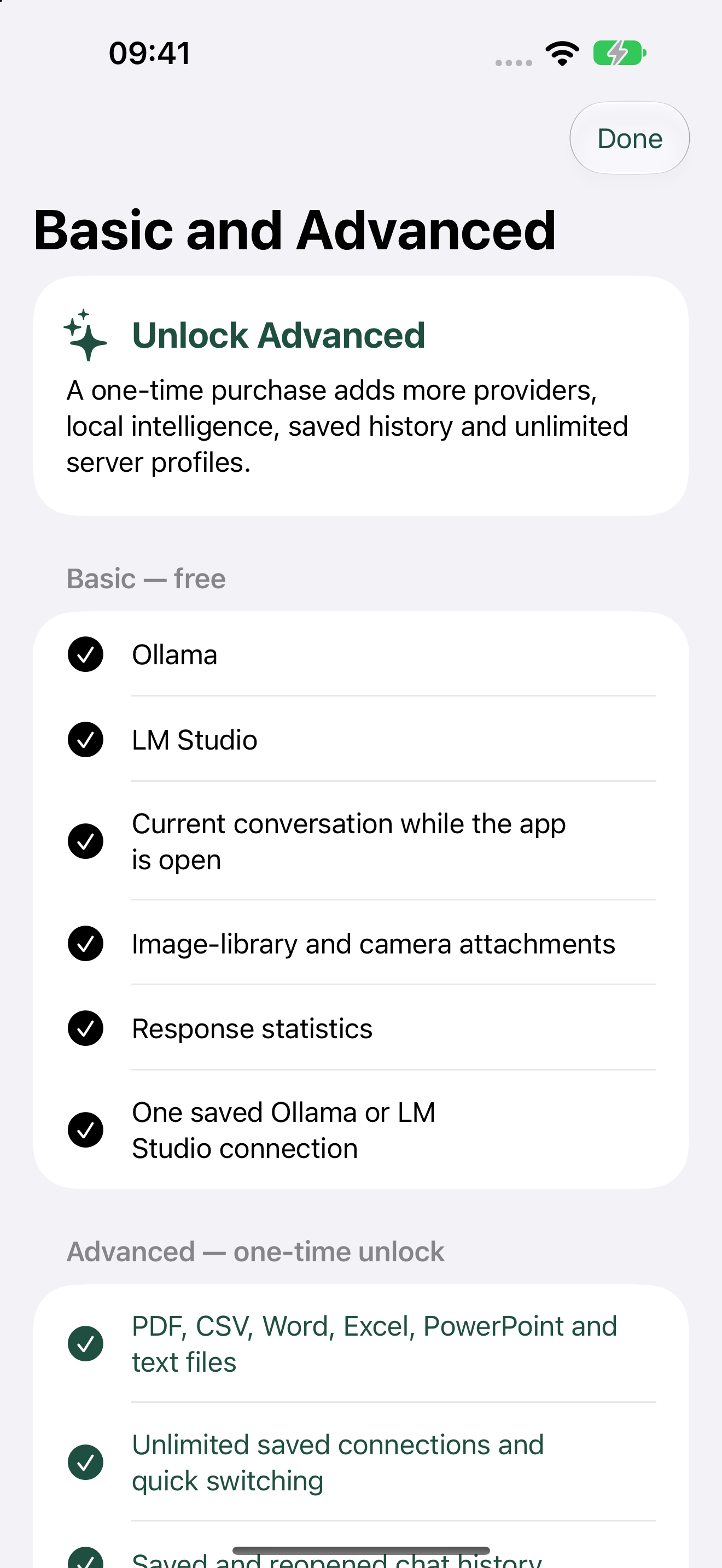
One-time Advanced unlock
StoreKit 2 entitlement checks, Restore Purchases and transaction updates are implemented. Deterministic iPhone and iPad simulator tests cover Basic, purchased, refund or revocation, restore eligibility and the verified-entitlement policy. The local StoreKit fixture is excluded from Release builds.
Final price, App Store Connect product configuration and live purchase testing remain release gates.
The in-app Basic and Advanced access summary; App Store Connect and live purchase testing remain pending.
Interaction and Using
Basic + Advanced
Native iPhone and iPad app
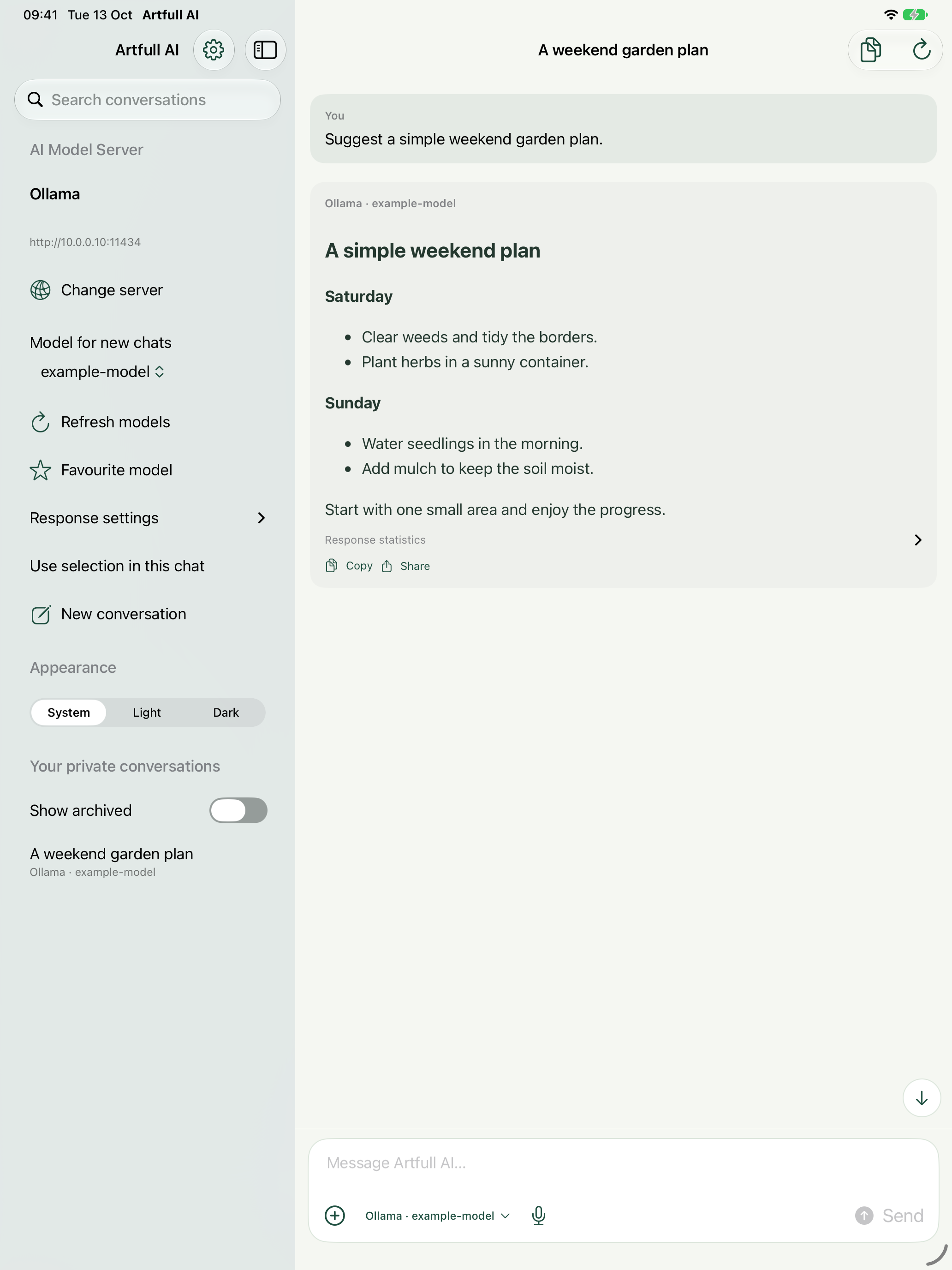
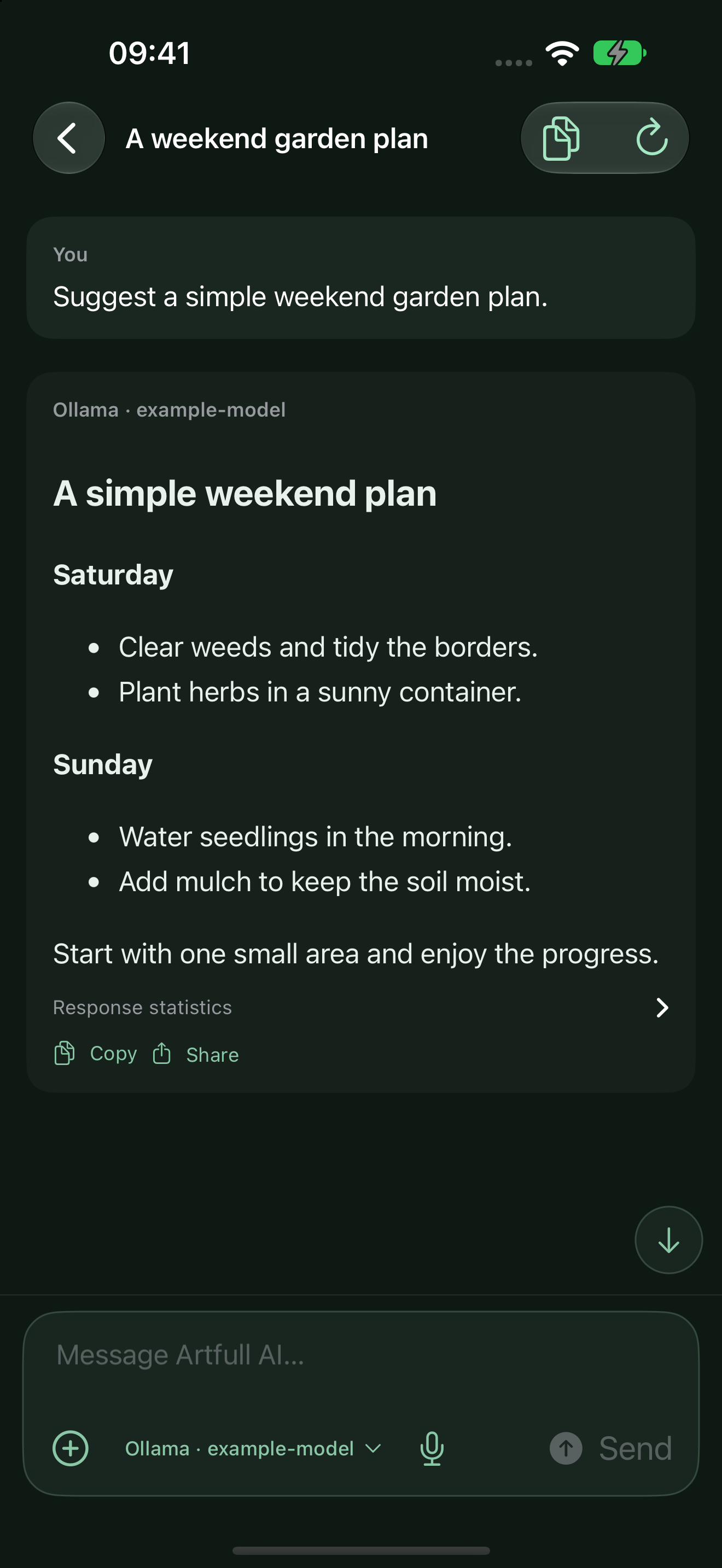
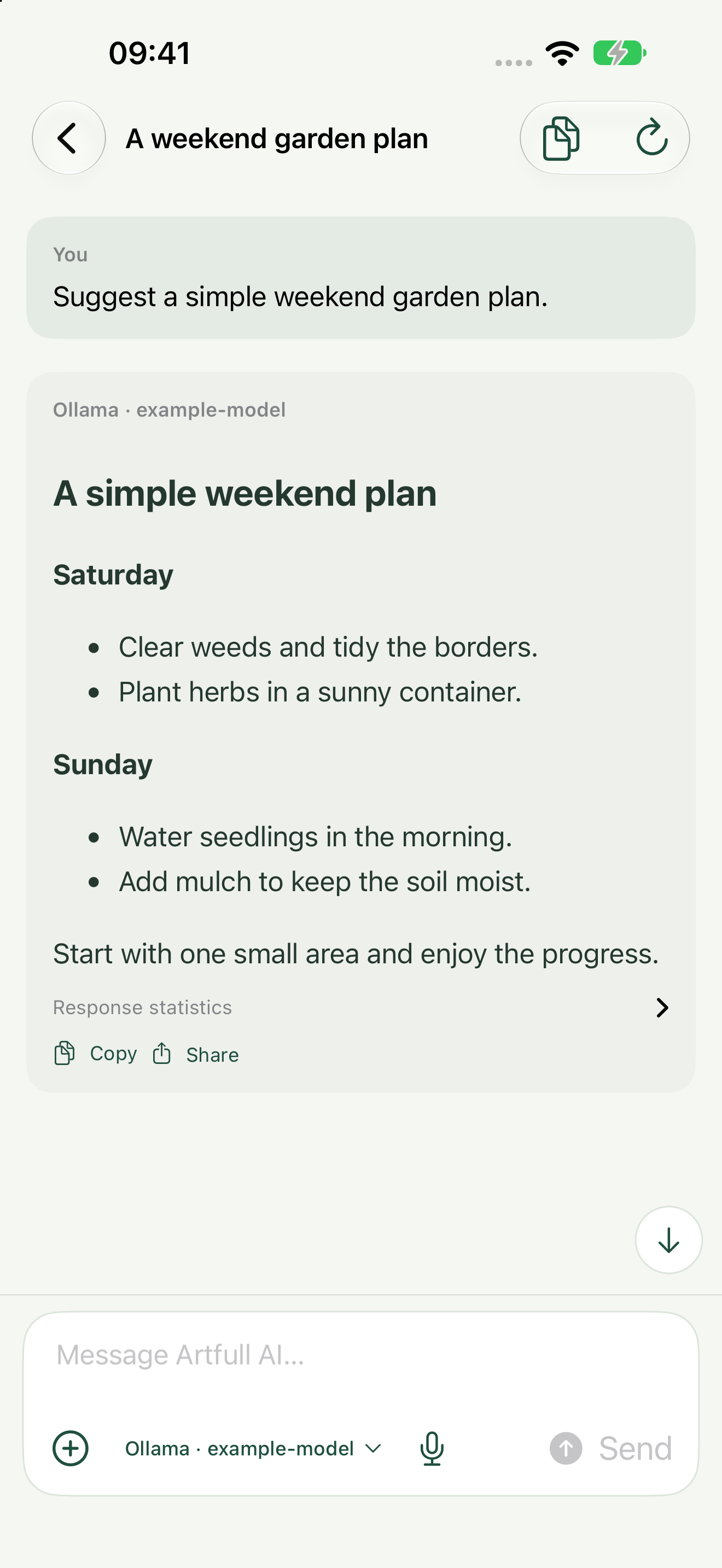
A SwiftUI interface designed for phone and tablet layouts, with system, light and dark appearance and native sharing, files, photos, camera and speech surfaces.
The native tablet layout in the build 5 development app.
Basic: one · Advanced: unlimited*
Saved connections and quick switching
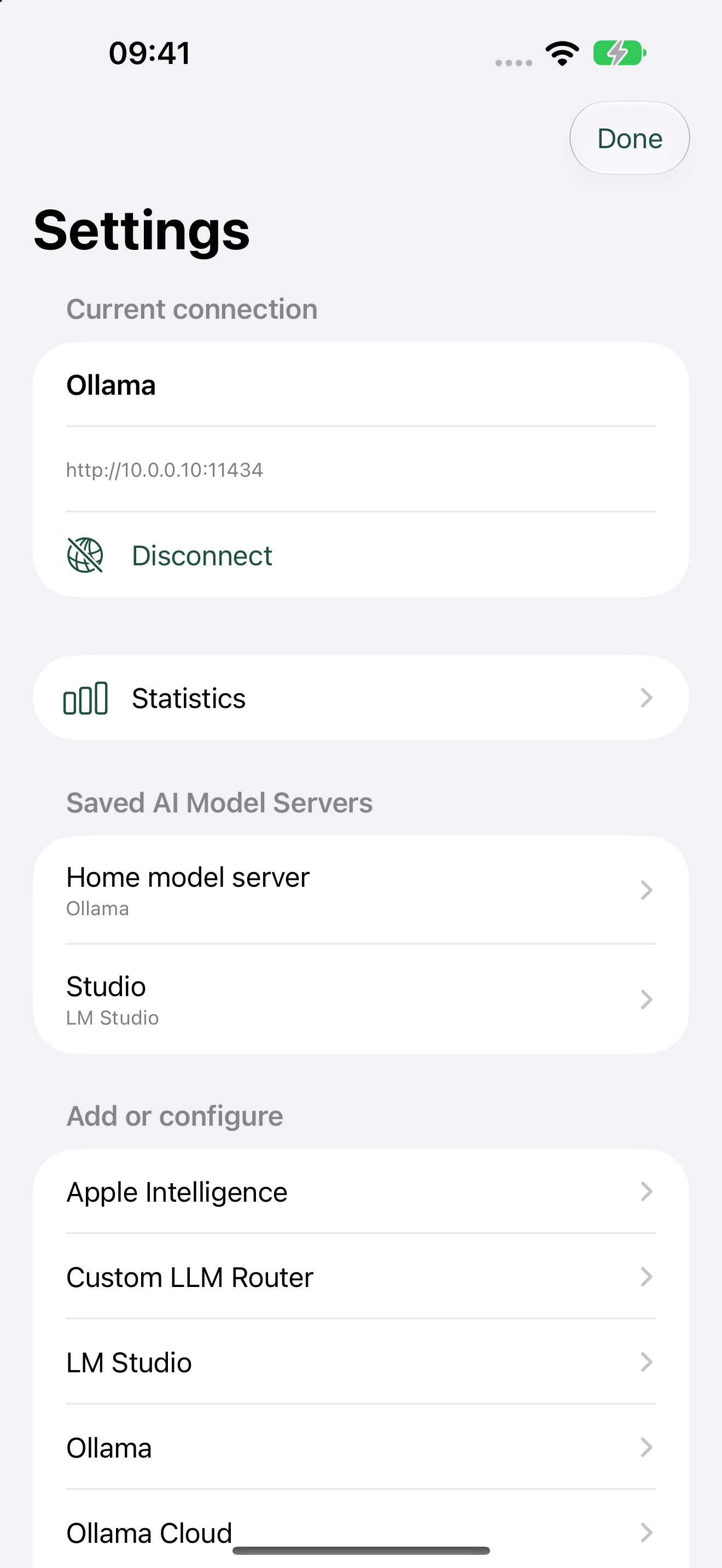
Save server names, addresses and connection-specific settings away from the composer. Basic keeps one Ollama or LM Studio profile; Advanced removes Artfull AI’s fixed saved-connection limit.
Basic: keep one saved direct Ollama or LM Studio connection.Advanced: save multiple connections and switch without re-entering their details.
Basic + Advanced
Current conversation context
Messages in the open conversation remain available as context while you chat. Basic does not reopen saved conversations after the current session.
The active conversation maintains current-session context.
Basic + Advanced
Localized message timestamps
New user and assistant messages show a time formatted for the device locale. Older messages show an abbreviated date with the time. Timestamps persist through saved history, continuation, branching and Advanced backup export/import; legacy messages without a timestamp remain readable and are not assigned a fabricated time.
Light appearance shows the localized send and receive time in each new message header.Dark appearance retains the same timestamp and conversation behaviour.
Basic + Advanced
Model and provider provenance
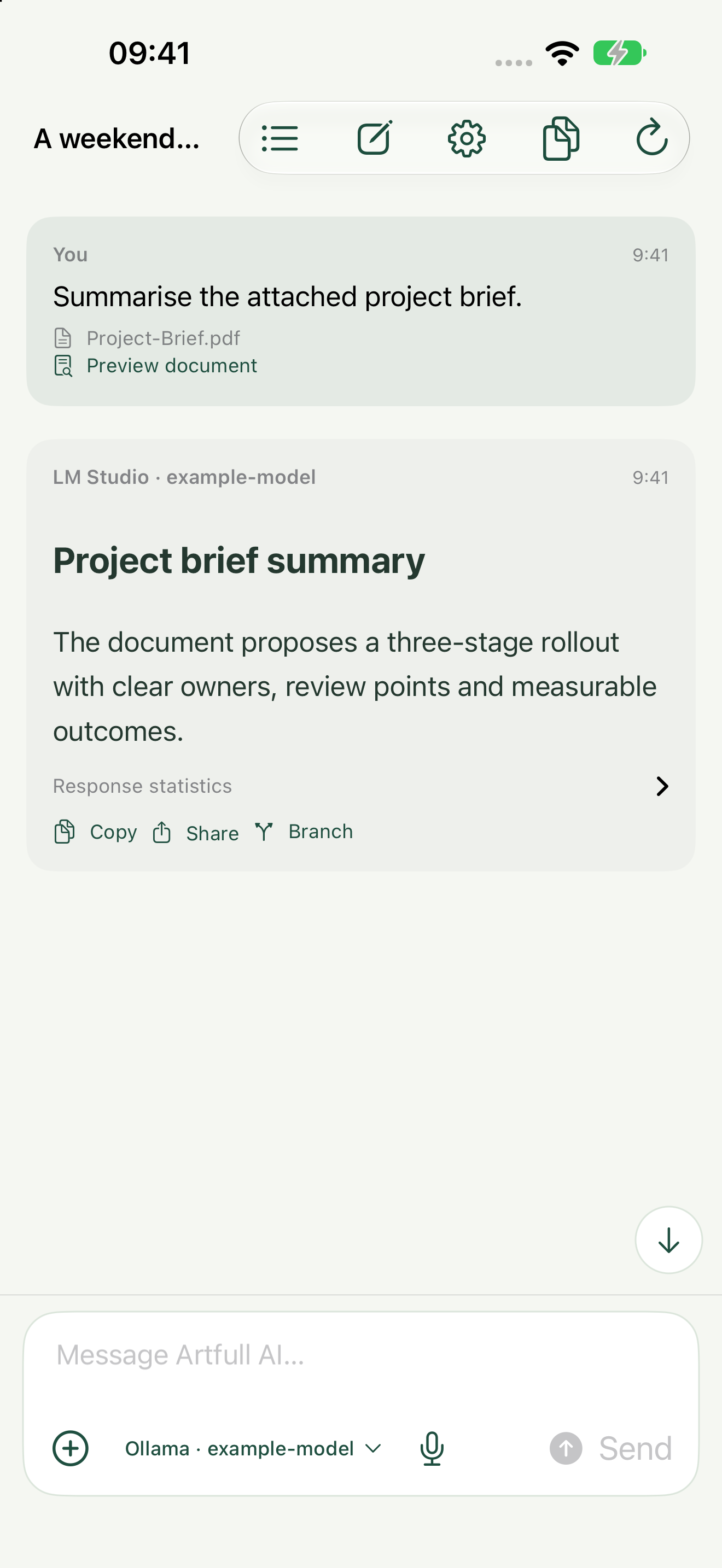
Each response keeps its model and provider label even after the selected model changes, so the origin of an answer stays visible.
The response retains its model and provider label.
Basic + Advanced
Formatting
Display finished Markdown-style responses with headings, lists, tables and code. Optional streaming remains available.
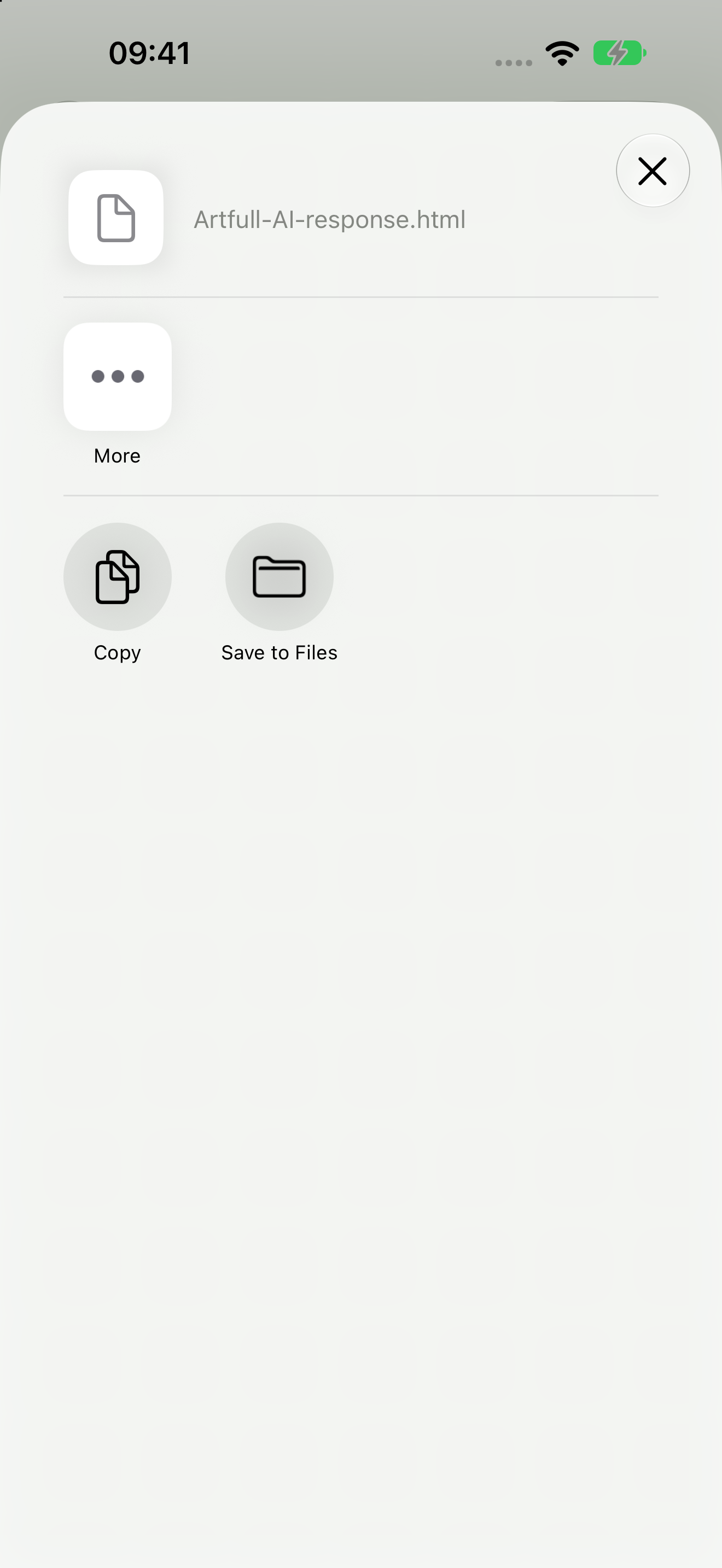
Copy a finished response or share its formatted output through the native system share sheet.
The native Share sheet offers Copy, Save to Files and other installed destinations.
Basic + Advanced
Continue generation
Continue an interrupted or length-limited direct-server response in place without duplicating text that has already been generated.
Advanced
Conversation export and import
Export complete direct-server conversations as bounded, versioned JSON backups with server provenance. Imports add validated conversations to the selected direct server without replacing existing history or moving credentials.
Advanced
Permissioned tools
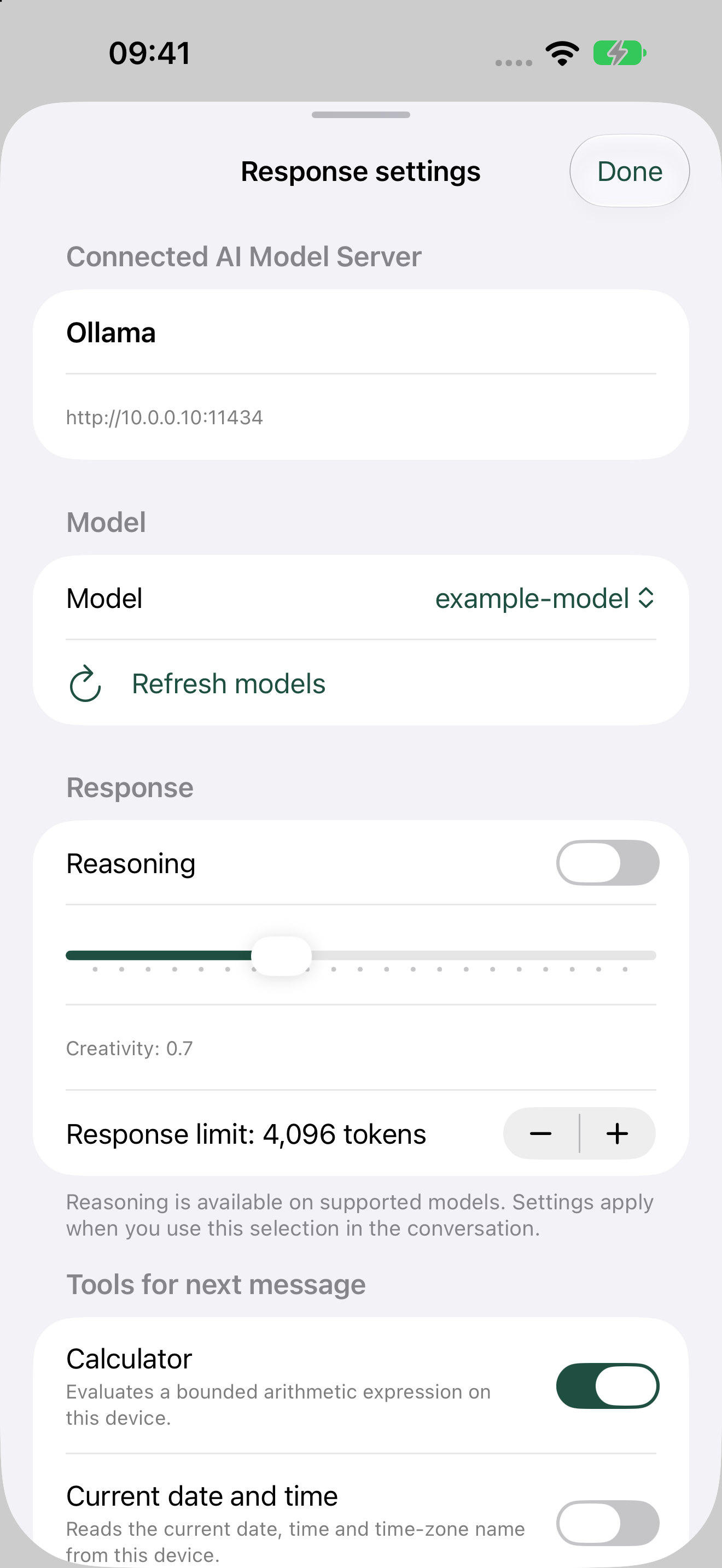
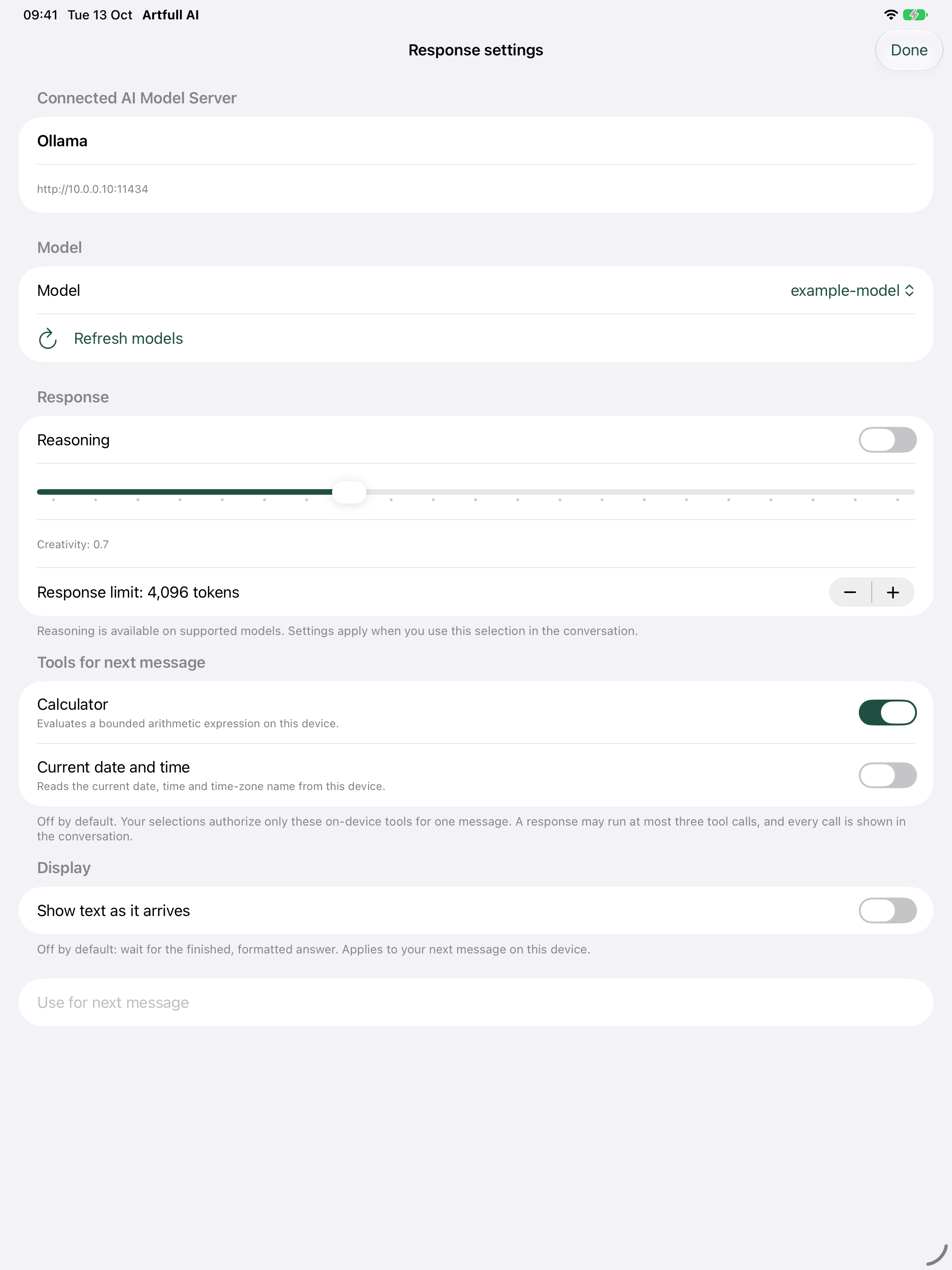
Authorize an exact tool for one message at a time. Build 12 exposes only bounded on-device arithmetic and current date and time, allows at most three calls in a response and keeps every tool activity visible in the conversation. It exposes no files, URLs, shell commands or arbitrary code.
iPhone controls keep tools off by default and authorize only the selected tool for the next message.The iPad layout shows the same one-message authorization and visible execution limits.
Live keyed test pendingAdvanced
Web Search with Brave Search
Web Search is an Advanced feature for direct AI Model Server chats. Enable it for one message at a time when the model needs current reference information.
You need your own Brave Search API account, active plan and API key. The key is stored in the device Keychain. Only the search query you type is sent to Brave Search; attachments and chat history are never included.
Search results are bounded, treated as untrusted reference text and shown as source links with the answer. Brave pricing and usage limits apply. See Brave Search API information and sign-up.
This feature is not currently released. A successful live keyed Brave Search smoke test remains an acceptance requirement.
Advanced
Saved chat history
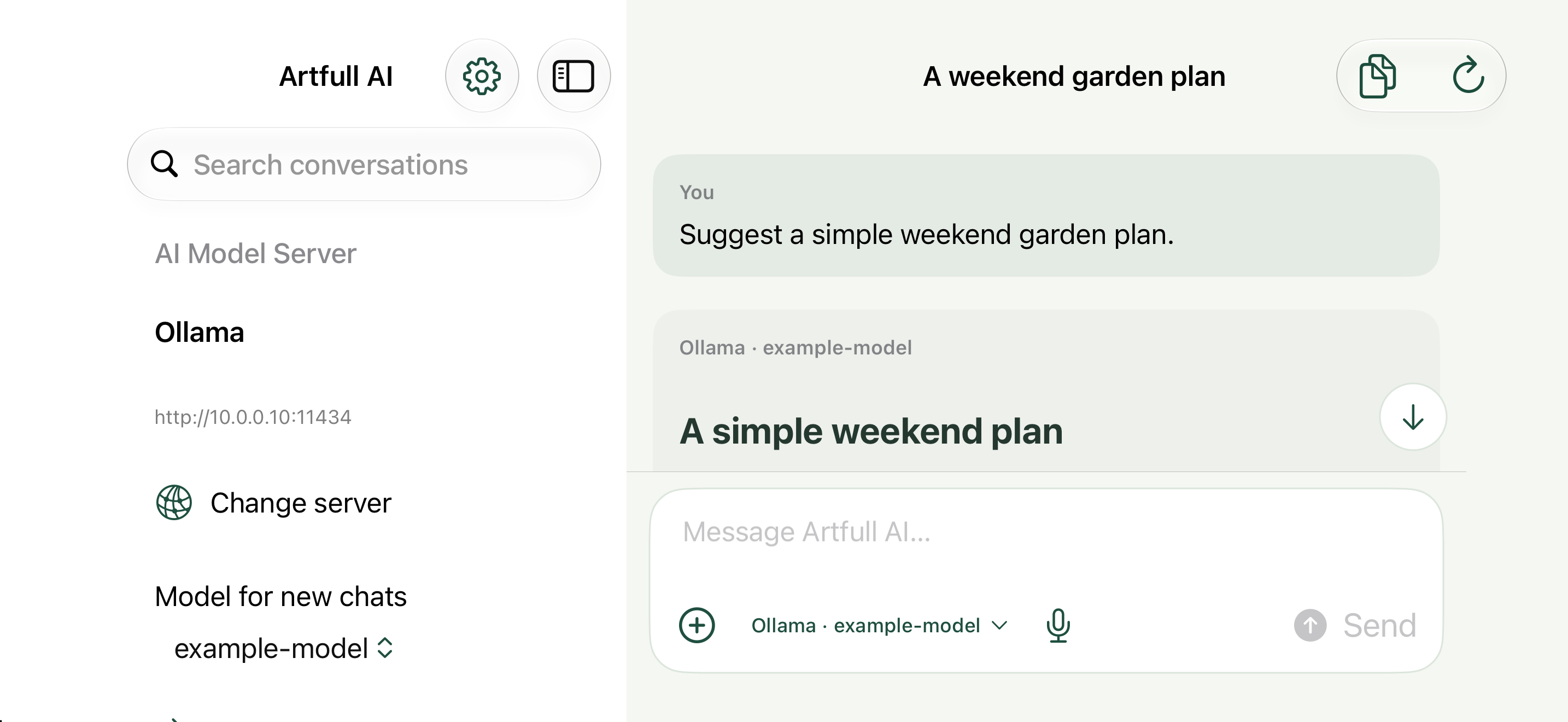
Retain, reopen, search, rename, pin and archive conversations. Direct and on-device histories remain separated by connection; Custom LLM Router history is managed by its server.
iPhone landscape keeps the conversation side menu beside the active chat.The iPad workspace shows the same history and model navigation.
Advanced
Conversation branching
Create a new conversation branch from any message while preserving the original conversation unchanged. The branch copies history only through the selected message and keeps attachment storage bounded.
Background testing pendingBasic + Advanced
Retry, stop and recovery
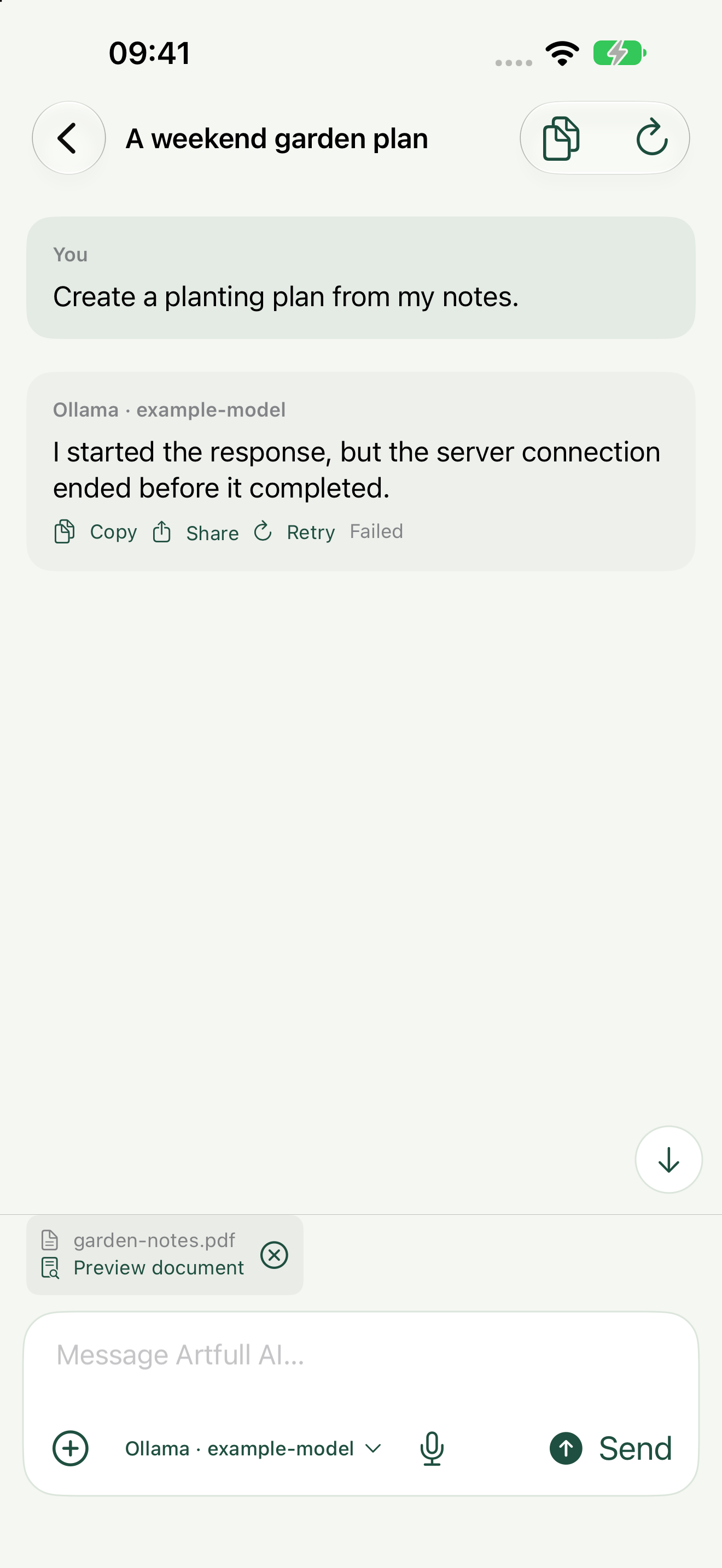
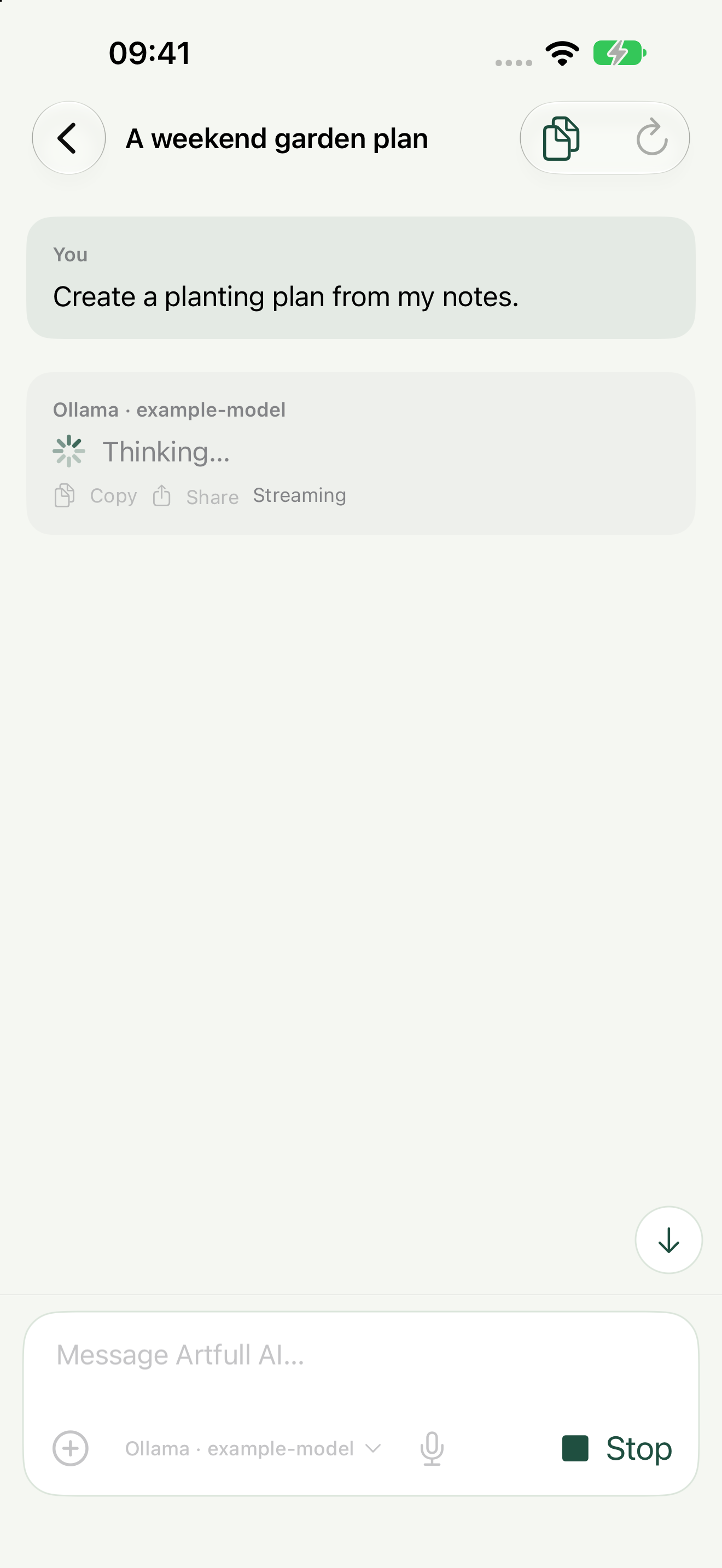
Stop generation, keep partial output and retry explicit failures without creating an endless polling loop. Wider physical-device background testing remains a release check.
A failed response remains visible with its explicit Retry action.Stop is available while a response is actively generating.
Device validation pendingBasic + Advanced
Speech dictation
Use native dictation where language and hardware support it.
Speech input is integrated with the native chat composer; device validation remains pending.
Basic + Advanced
Device Auto-Lock
Artfull AI keeps normal device auto-lock enabled rather than forcing the screen to stay awake.
Normal device auto-lock remains enabled while using the app.
Advanced
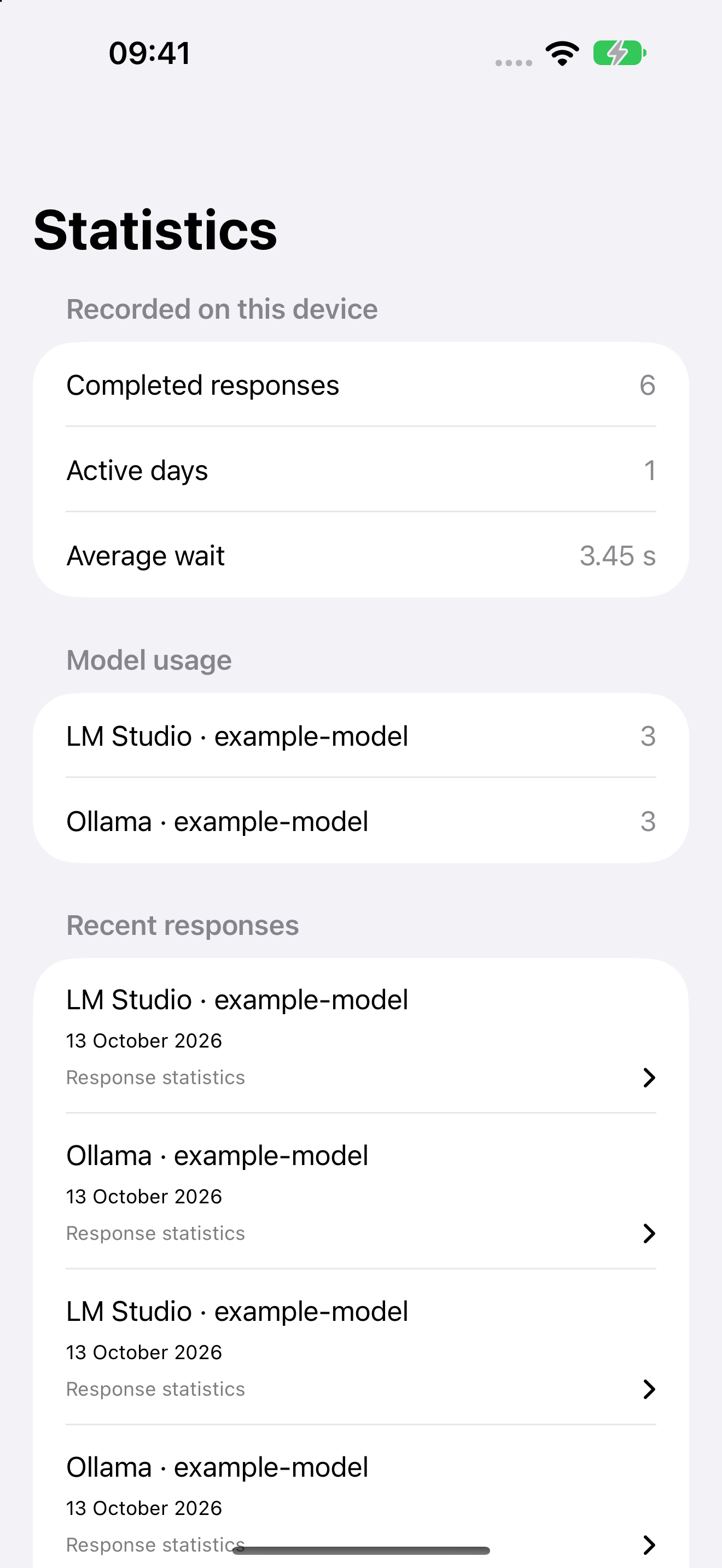
Response statistics
View response metadata such as provider, model, timing and token counts when available. The local journal is designed not to store prompt, response or document text.
The statistics journal summarises recorded response metadata.Each eligible response links to its own detailed statistics.
Images, Documents and Data Files
Basic + Advanced
Images and camera
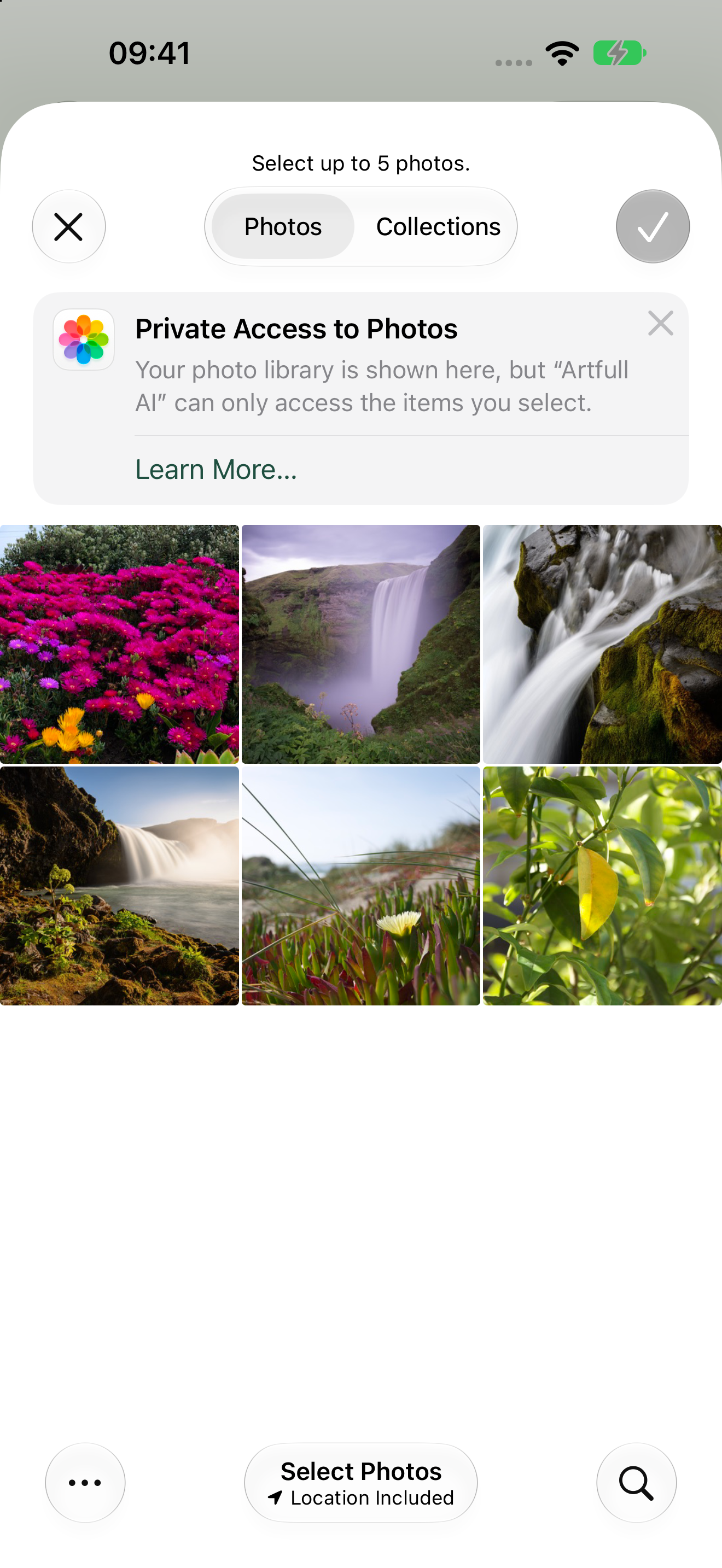
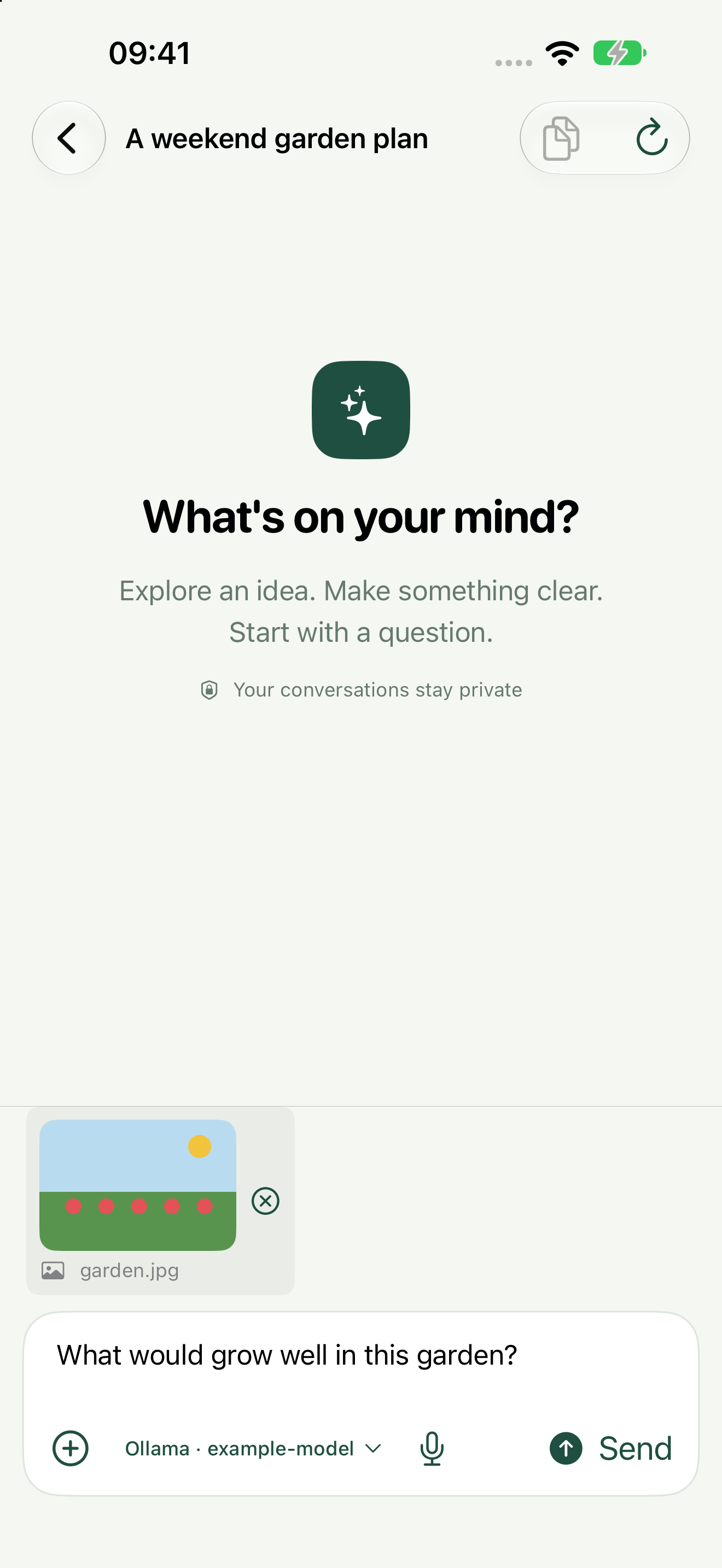
Attach images selected from the photo library or captured with the camera. Image attachments remain part of Basic as well as Advanced.
Choose images through the private native photo picker.The selected image is visible in chat before sending.
Advanced
Documents and data files
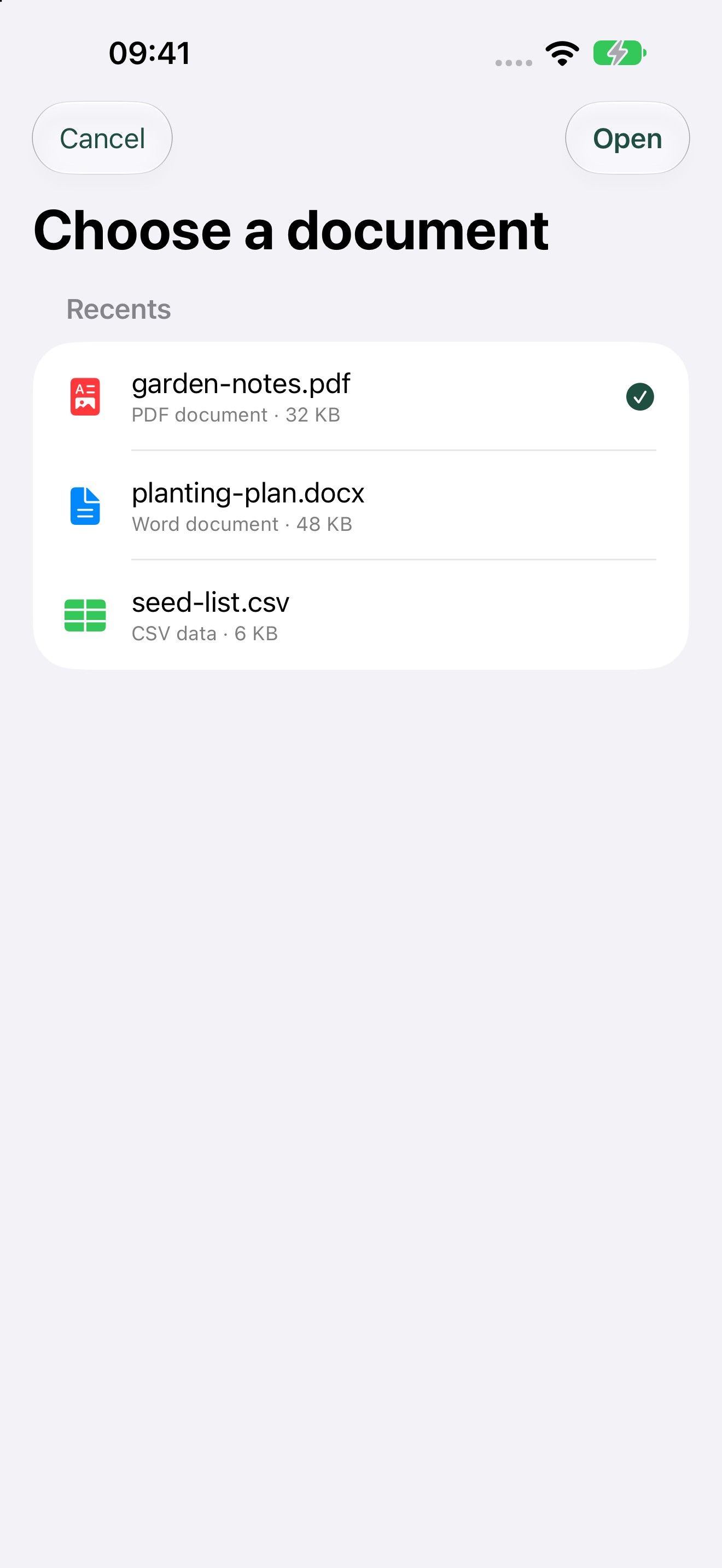
Extract text from PDF, scanned PDF OCR, Word, Excel, PowerPoint, plain text and CSV files within documented size and page limits. Old binary Office formats require conversion.
Choose a real file from the document picker; the selected PDF is clearly marked before opening.The selected PDF is staged in chat with a document preview action.
* Artfull AI does not impose a fixed saved-connection limit. The practical number depends on available device storage and system resources.
Future work
Planned capabilities
These features are not available now. Their Basic or Advanced tier is “To be decided” unless a later product decision explicitly assigns it.
PlannedTier to be decided
Document workspaces and citations
Work across larger documents with grounded page, sheet and slide references and on-device chunking where practical.
PlannedTier to be decided
Model comparison
Ask two models on the same server and keep each answer, provider label and statistics separate.
PlannedTier to be decided
Reusable prompts and tuning presets
Save repeatable instructions and generation settings without silently changing the active connection.
PlannedTier to be decided
Follow-up suggestions
Offer optional next questions while identifying where they are processed and any provider cost they may create.
PlannedTier to be decided
History retention and app lock
Add optional retention and auto-delete controls, explicit clear-history confirmation and device-authentication protection.
PlannedTier to be decided
Diagnostics and accessibility
Add secret-free diagnostic export, connection latency and status, adjustable text, Dynamic Type, optional haptics and iPad keyboard shortcuts.
PlannedTier to be decided
Richer rendering and voice
Improve tables, syntax highlighting and maths, then add read-aloud and a more conversational voice interface.
 Artfull AI